How to work with the ModSecurity plugin
Imprimer- 0
The ModSecurity feature allows you to disable and enable ModSecurity for your domains and subdomains in a few clicks.
You can check the functionality by visiting the cPanel >> ModSecurity. 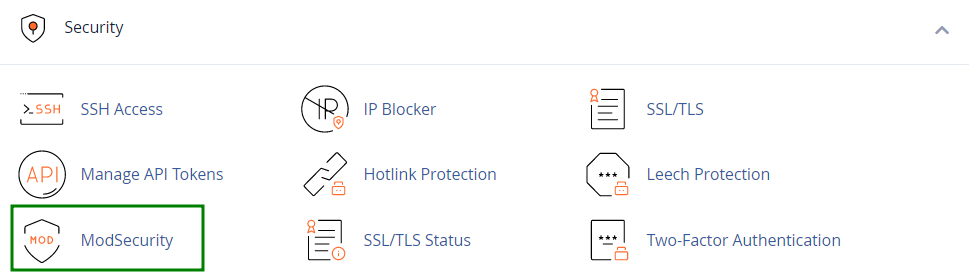
On the next page, you will see a list of domains and subdomains that are present in your hosting account:
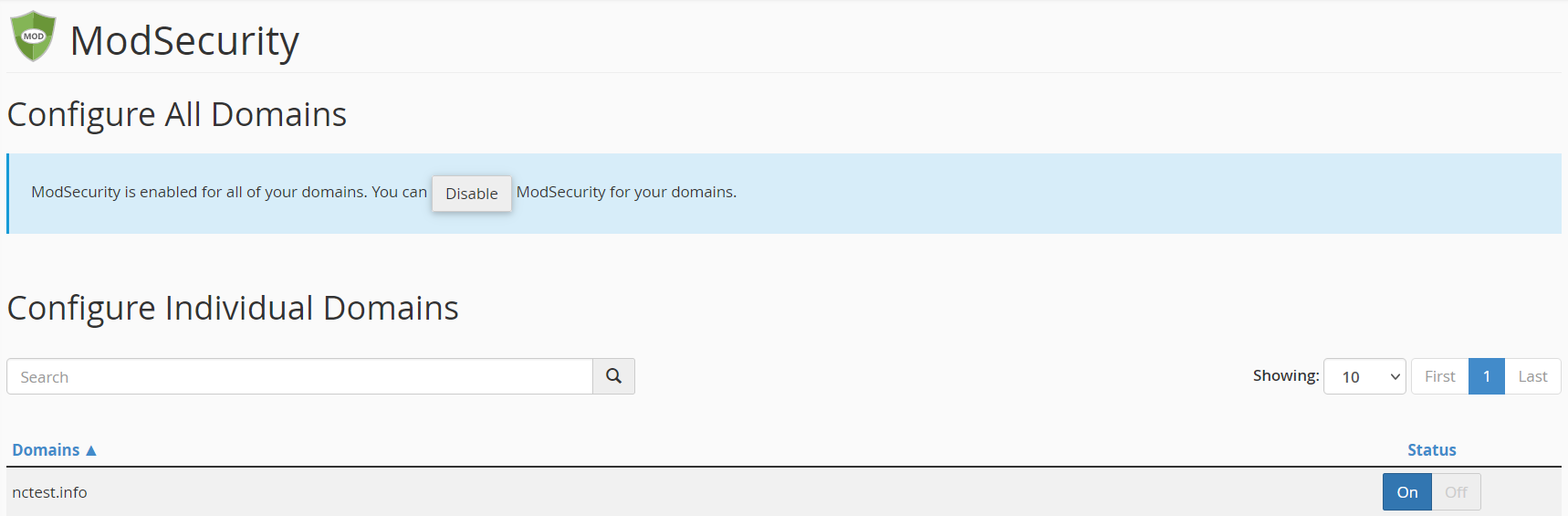
If you wish to disable ModSecurity, find the domain name in the list and press Off right to it:

NOTE: Disabling ModSecurity for a domain name does not affect subdomains - they will remain under the protection.
Vice versa, ModSecurity can be enabled back by pressing On button:
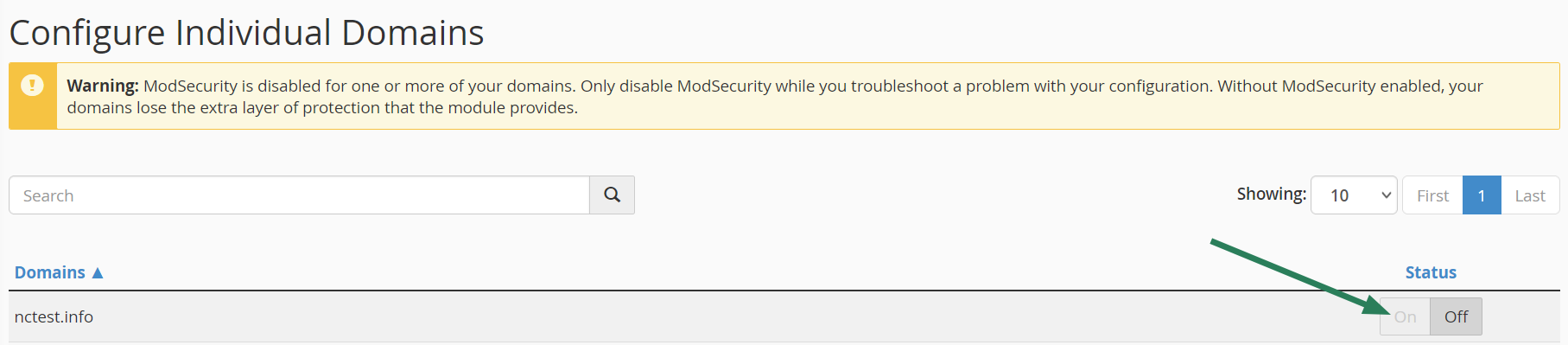
Once ModSecurity is disabled for the domain name, you will see the following warning:

We recommend using this option wisely - in case you suspect that the issue with your website is related to ModSecurity do not hesitate to get in touch with our Support Team first.
That's it!